Tuesday, August 6, 2019

Home Automation - Sun blinders, plans vs reality

Outdoor lighting prevention, part 1

As you may have deduced from my previous post, living in Sweden in autumn/spring, you will notice that the sun doesn't go up very high unless it's high summer. It shines, more or less horisontally, right through your windows and onto your TV, computer monitor or face. That quickly gets annoying, plus the houses are built for winter, not summer, so when it's +30 degrees Celcius outside and sunny, it gets awfully hot inside.

Thus, some external sun blinders are nice, as they keep heat and solar megalumens outside (where it belongs during summer). They still allow you to see your more-or-less-green lawn and the state of the great outside. Hence, I prefer them quite a bit before curtains in various forms. Also, our house had them when we bought it.

The idea for this project started after we built a new patio-roof starting at the house wall . We had to replace the 8-foot manual crank pole to the 2nd floor blinder as the roof physically blocked it. So, I bought and installed an electric motor instead. Quite nice, but it added 3000 SEK (~300€) to the roof project cost. Ugh, However, the motor is actually quite neat, AC-mains driven (one wire for up, another for down, plus neutral and earth) and adjustable end-stops to avoid damaging anything, plus it fits inside the tube.

I declined the wireless option (didn't even ask for price) as I didn't feel it was worth it then (I didn't want to buy the motor in the first place!). My experience was that such systems are usually proprietary, closed, expensive ones that are hard to integrate with much anything else.

Then, as we spent the rest of that summer moving the blinder up and down more or less every day, down in the morning sun (which comes up at about 5.a.m, before any wholesome beings are awake),
 up in wind and rain, or after 2 p.m. when the sun wasn't shining in anymore and you actually wanted to enjoy the view, my inner nerd/optimizer finally had it. We had to automate this!

This was a year or so before I got the Raspberry/Tellstick/Nexa combo, so this was actually my first home automation project.

Anyway, I bought a bunch of Arduinos but nothing really came from that. Instead, I got a Nexa motor receiver and a wall transmitter. The transmitter is used to lower the blinds in the morning (when one wakes up) and the Raspberry/Tellstick then sends a signal (essentially "lamp off") to retract the blinders at 14:00 every day. This has worked well enough, although I would like for it to automatically lower in the early morning (04-05:00) during summer. I'm not there yet.

However, I am now building a controller for a second sun cover (5x4m on top of our transparent patio roof), and that is almost done. Stand by for more info. :) 

First adventures in Adobe Fusion 360

I made a thing!


This is a split timing belt pulley that will drive the sun-cover on my terrace. It is is currently manually operated and quite often fails to retract when the sun goes down, it starts to rain or the tenants leave for vacation.

The base is a 32 tooth T5 belt pulley from MacMaster-Carr. (I had a T5 belt and some smaller pulleys already.)

The sides are extended on to accommodate for clamping/fastening.
The belt guides where made a bit thicker and a fillet was added make the sides a bit more robust.
Additionally, the gap between the two halves have been reduced by 0.5 mm to actually provide some clamping force.

Four M5 bolts/nuts pairs clamp on the 13mm axle.

Two M6 set screws to grip into the axle itself. (Those holes will be threaded manually. If the plastic isn't strong enough I can always drill it up a bit larger and insert helicoils, or redesign with nut cutouts on the inside similar to the outside).

The plan is to 3D-print it, which will look something like this:


I'm quite happy with this little piece, and that I managed to do it without any previous Fusion 360 experience in a few hours. :-D

The step file is available for download: 13x5T-32-Split v21.step


Thursday, February 4, 2016

Home Automation - Raspberry flavour

Wireless indoor lighting, sort-of

If you've been to Sweden on different times of the year, you quickly notice that the amount of sunlight varies between 5 hours to 20 hours. Hence, in the winter, you want the lights on quite a bit,

To avoid adjusting the light timers to account for the dusk/dawn moving about 15 minutes per week in spring and autumn, I've wireless:d a lot of the lighting with the help of a Raspberry Pi 2 Moveld B, a 2.8" touchscreen, a Tellstick Duo and a ok-ish Java program called NexaHome. I've mainly used Nexa and Proove switches and relays. The latter are cheaper and works just as well. The Proove switches' relays give a good "thunk" when switching on or off and that actually feels safer than something quiet and tiny, especially when you're dealing with mains voltage.

There are plenty of guides on the Internet on how to setup each of these, all better than what I can write. Suffice to say, installing Raspbian and downloading & installing packages (Java, Qt, etc), compiling what you need (the Telldus daemon/GUI and touchscreen driver) and setting everything up wasn't too hard.

The setup works pretty well and the wireless 433 MHz signal reaches 15 m to our storehouse where we have some christmas lights hooked up. NexaHome has a web server so I spent a few minutes crafting a special webpage to fit the RaspBerry's touchscreen. Thus, one can control the lights by not having a smartphone. I like that, but I also like being able to shut off the lights from bed if I went to sleep a bit earlier.


The main issue I had with the setup once I got it up and running was that I couldn't get the touch screen and the HDMI output to work at the same time. I think it's just a limitation of how the driver was written at the time. (Maybe it has changed now). It'd been nice to use it as a media player or some such, but with Netflix, Spotify and Viaplay via Chromecast, we're pretty well set and I haven't missed it. Nowadays I don't have time to consume as much media, so the few series/movies I watch I can pay for. (Not like back in college where I had watched ~140 Naruto episodes in a month or two.)

The NexaHome software isn't the best nor greatest, but it has worked for me over a year or two, so I've actually donated a bit. The commercial alternative was SwitchKing, but I felt the price at the time (250 SEK, ~25€) was a bit too much since what I had at no-cost worked. I noticed that the price has recently dropped as the authors have put the project into support-mode, so it may be worth taking a look again. However, having worked with real industrial PLC:s the recent year, I'd much prefer something of that sort now.

Anyway,  the Pi will probably serve it's duty as a home (lighting) automation center for a few years to come. The 433 MHz RF system is nice and good value-for-money, even though it misses a light or two sometimes (even on repeat, but rarely more than a few times per month),

We'll see what happens when or if new requirements are needed.


Next post will be about my (scrapped) first plan for the house's sun blinders ... and maybe hint of what duty that Arduino will actually end up doing...

TTFN.

Thursday, January 28, 2016

I'm back!

So, after a three year hiatus on postings I'm here again! Yaay!

This post will be the first of a short-ish recap of past highlights and future plans, of which I am quite excited. I will also try and keep the posts shorter but more frequent.

Professional life changes

Halfway through that time I changed employer, and managed to learn quite a few new tricks at the new place. I'm still doing software development, but as a consultant, which has exposed me to a lot of new people, places, projects, PLC:s and PowerPoints. (And companies, languages, APIs and hardware, but those don't start with a p. ;)

My current job is as a (heavily developing) systems architect at Bit Addict. The company is lead by an old friend of mine from the university days, and I signed on as peon #1. We've grown from 2 to 5 people in 1,5 years and are targeting around 8-10 in a few years. We're doing software work for manufacturing & automation companies, ranging from ERP-integrations all the way to safety hardware installation. Our customer are pretty high tech, high power lasers (4-6 kW), titanium 3D printers or surgery simulations, so the applications are quite exciting.

Nevertheless, the best part is that we're out there, doing good work that our customers appreciate and building a company and relations by our own. A lot is being learnt, but as long as one avoids making the same mistake twice, it's all part of the process.

Reminiscing...

I suggested the name of the company as I used the same name for a small PC demo a friend and I did together for DreamHack 1997 (this was back in high-school). This, kids, was when all we had to play with was a framebuffer and a weak CPU. No libraries, APIs or GPUs or whatnots. It was all our own code, except for the music-player, the VGA-mode setter, and a bit of interpolation code we got from his big brother.

You can still download and run it in a DOS emulator if you want to. It's not that good, honestly, but as we came in 3rd place out of 7-ish entries,  I suppose a tiny bit of pride is in order. This was back when there was about 400 attendees with their own computers, as opposed to 9500 last year (2015).

It's a different world today, since the competition is more about creativity than technology, but looking at 4K or 64K demos never fails to impress.

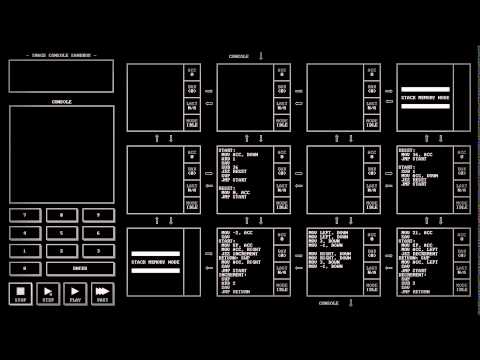
I actually got a huge flashback to the demo scene days by playing TIS-100 over the holiday (christmas gift from a friend, thanks Nix!). The fun part if the game is sitting and optimizing a program until it is as small, fast or efficient as it can be. The downer is that I can't fool my brain into thinking it's a game all the time, thus it feels a bit close to work at times. Still, good fun and recommended to anyone who've done a bit of assembler hacking in their youth.


My next post will be about ... Home Automation!  .. Starring a raspberry pi... Stay tuned.

TTFN.

Sunday, January 6, 2013

Singletons in C++, a tour through lessons learned

(Sigh. I just noted that Blogger's WYSIWYG editor doesn't escape brackets properly, so all the template parameters are gone from the code examples... sorry about that.)

Having coded a lot of C++ (10 years professionally), plus a brief  (1,5 year) string in Python, I've gained some perspective on how to cope with these beasts. I hope some of you will find it interesting, but I expect (or rather, hope) experienced readers with mostly just nod and agree.

The notable C++ apps I've been involved with usually has between two and fifteen "manager" objects that we use here and there. This involves various tasks, accessing the file system (usually with some caching and custom path lookups), managing logging, loading shared (graphics) resources such as sounds, textures, shaders (and during development, instantly reload these if the change on-disk), being etc etc etc.

So, you have all these things that:
  • need to be accessed by a large number of components in your app
  • should usually exist as one instance
  • should exist when we access it
  • will probably depend on each other a bit (loading a texture needs the file system, logging needs file system, file system might want to log, etc.)
(Experienced readers will loudly think "separation of concerns", and rightly so. I'll get there eventually.)

As touted by the GoF as a proper Design Pattern (which, IMHO according to them, is often just a term for how to code something in pure-OOP that should be in the language from the start, such as multiple-dispatch, visitor, etc etc..) they should be initialized lazily.

Singleton implementation 101

The easiest way in C++ to do this is a function local static variable. This is not thread-safe unless your compiler supports it (usually with a flag).

class Singleton {
   static Singleton& the() {
          static Singleton s_the;
          return s_the;
   }
    
   void foo() { ... }
private:
   ... 
};

(FYI, I prefer the m_ prefix for member variables, s_ for static, and ms_ for member-static...)

To get something thread-safe without compiler support, you have to check this yourself, but you also need a mutex or two, which must be created safely too. (Locking the mutex on every access can be avoided by doing double-dispatch. This requires careful attention to the memory semantics on your platfrom (default behaviour x86 seem ok though), but note that Java's double-dispatch is broken due to it's slack memory model & aggressive optimizating compilers. It might be fixed in more recent version though.)

So, with locking, you have something like this:

class Singleton {
   static Singleton& the() {   
          scoped_lock lock(&ms_mutex);
          if (ms_the== 0) {
             ms_the = new Singleton();
             atexit(deleteMe);
          }
          return *ms_the;
   }
    
   void foo() { ... }
  
private:
   static std::Singleton* ms_the  // set to null before main(), declared in cpp-file
   static Mutex ms_mutex; // constructed before main()

   static void deleteMe() { delete ms_the; }
   ...
};

// you could/should probably use boost/std scoped_ptr/unique_ptr to avoid calling the c-library's atexit(), if you have access to those.

A lot of problems here are caused by having to implement lazy initialization. And most often, you don't need that, because your managers-as-singletons are created deterministically anyway, and if things get hairy, you want explicit control. I'll get to that in a moment.

My default singleton implementation for small C++ projects avoids lazy initialization and the problems with order-dependency during construction/destruction between managers by simply not constructing itself. That is usually left to the main() function. (Or the unit test fixture, or whatnot...) Usually your app has some well defined, single-threaded, execution-paths where this takes place, if main() doesn't suit you.

class Singleton {
public:
   Singleton& the() {   
          assert(ms_the);
          return *ms_the;
   }

   Singleton() { 
          assert(ms_the == 0);
          ms_the = this;
   }
   ~Singleton() {
          assert(ms_the == this);
          ms_the = 0;
   }
    
   void foo() { ... }
  
private:
   static Singleton* ms_the  // declared in cpp file, so is set to null before main()
};

int main(...) {
   Singleton mysingleton;
   Singleton2 mysingleton2; // uses first singleton

   mainloop();

   return 0;
}

This is rather neat, I think. The singleton class has pretty minimal logic, just guarding against programming errors. It's constructed at a well defined point, and it's cleaned up on exceptions, or before main() returns (so we don't end up with half-unloaded DLLs during exit. This can be a problem..)

This way, we've solved how to make singletons always exist before we access them. We create the objects up-front, in a specific order. They will be destroyed in opposite order.

Also, if we have several managers that depend on each other, any ordering issues can be resolved manually. This is especially important when shutting down (if you want to clean up properly...). Modern OS:es don't require that as much, since they will clean up your mess regardless if you crash and burn or exit the building the right way. However, it feels better to do it properly. You might have hardware that need shutting down or notification to network services to say that you're going down and you know about it (more or less). 

Having an explicit construction order like this means that at the very least, you don't have to mess with something like the Loki SingletonHolder's LifetimePolicy imlemented by the LifeTimeTracker and the GetLongevity funciton. Ugh. I've done that once, hunting around and setting longevity values in files all over the framework. Never again,! 

It should be noted that the drawback of managing your singletons manually is that you need to alter a lot of main methods or unit test fixtures if you add a new singleton to a library that many of your apps uses. However, that's usually only done once (or twice), so it's not that bad. The asserts should trip in your smoke tests if something is wrong (smoke tests is incidentally the minimal amount of testing anyone should have, IMO. The rest is a never-ending debate...)

So, all's seems fine here... until you want:

Two instances of a singleton!

(This is not a doubleton, which is more like what happens when you get the singleton creation logic wrong, or load the different versions of the same DLL, or are running Java, or... well..)

As an example, say if you have a TextureManager. This loads the images you apply on everything in the game, from environment to characters to the GUI. It has a function for reloading all textures (if the graphics context is lost, as can happens on Windows), clearing everything (done before loading a new level) etc. etc. Say, you might want one for overlay GUI (static throughout the run) and another for the in-game assets (that differ between each level). Separating this inside the TextureManager might feel backward to you, so what do we do? 

If we had managed the singleton's lifetime with a static local function variable, just adding a second such function would work pretty well. Except that we don't want to do that, since the lazy initialization has issues with threading and lifetime ordering.

We could, and should, extract the management of the singleton's global access out from the class itself. ("Separate these concerns, already!" I hear... :) This is what Loki's SingletonHolder tries to do, except it's a toolbox so big you're likely to get something that shoots you in the foot, C++ style, or at least chose the wrong tool). 

Here's something smaller for brevity, where we use an integer template parameter simply to tag the class so that the compiler will generate different types (i.e. different classes) and thus separate static member variables.

template
class SingletonHolder {
public:
   T& the() { assert(ms_the); return *ms_the; }

   SingletonHolder() { assert(!ms_the); ms_the = new T(); };
   ~SingletonHolder() { assert(ms_the); delete ms_the; ms_the = 0; }

private:
   static T* ms_the;
};

I'd put these typedefs somewhere, probably in the same header as the TextureMgr class for a small project.

typedef SingletonHolder GuiTexMgr;
typedef SingletonHolder LevelTexMgr;

Tehn, our main() would then look something like this:

int main(...) {
   GuiTexMgr gui_texmgr;
   LevelTexMgr level_texmgr;

   mainloop();
  
   return 0;
};

... and we need to declare these, as with all the other statics from previous examples (I left that part out earlier).

TextureMgr* GuiTexMgr::ms_the = 0;
TextureMgr* LevelTexMgr::ms_the = 0;

This is not too bad actually. The TextureMgr class doesn't need to bother about it's own lifetime or visibility. Our SingletonHolder does that work for us, isn't overly complex, and the order is well defined by main as we saw earlier.

Still, there's room for improvement, especially if we want to...

Swap implementations!

As might be required depending on the current situation. (mocking out stuff during testing is a prime example, running a local vs. remote master server is another, as was done in Quake/Doom...). Not that singletons are really necessary for that, it could be hidden beneath interfaces and so on.

Anyway, it's rather simple to alter our SingletonHolder to manage that. We simply give it the instance that it should store:

template
class SingletonHolder {
public:
   T& the() { assert(ms_the); return *ms_the; }

   SingletonHolder(T* t) { assert(!ms_the); ms_the = t; };
   ~SingletonHolder() { assert(ms_the); delete ms_the; ms_the = 0; }

private:
   static T* ms_the;
};

And the main() is just this:

int main(...) {
   GuiTexMgr gui_texmgr(new TextureMgr);
   LevelTexMgr level_texmgr(new TextureMgr);

   mainloop();
  
   return 0;
};

This also allows us to send constructor parameters to our instances (cache size or max memory usage, as could be relevant in the case of texture management in the example here).

Note that we're essentially going backwards from fully-automatic to manual handling of things. I argue that this is a good thing as your application grows. I also think we're quite low on overhead & complexity still, and the goings-on are easy to follow, understand and debug.

You can also write a small test that uses a mock implementation in the fixture (if you remove the GuiTexMgr from your test applications global fixture).

SingletonRegistry

If (a.k.a. once) we get enough of these objects (and there could be more than a few, if you have a GUI app and want to track undo management, the applications "current" document's status, global time of the process you're modelling, settings saving to file/registry, etc) it can get both expensive and bothersome to having to create/destroy all these every time you want to test something. Also, there will be a lot of SingletonHolder instances here and there.

So, rather than having a lot of SingletonHandlers, we store everything in one place. For simplicity here, we assume all singleton-objects have a common base class (use boost::any to work around that) and that we store and lookup the objects by strings (integers are fine too if it suits you, then you could use a std::vector instead of map for extra speed.). 

Since we want to store everything in one place, we need to singletonize the holder I've used one of the earlier methods for that here. Recurse ad lib (ad nauseum?).

class SingletonRegistry {
public:
    static SingletonRegistry* the() { return ms_the; }
    SingletonRegistry() { ms_the = this; }

    void store(Manager* mgr, const std::string& id) {
        assert(m_map.find(id) != m_map.end());
        m_map[id] = mgr;
        m_seq.push_back(id);
    };

    template
    T& lookup(const std::string& id) {
        assert(m_map.find(id) != m_map.end());
        Manager* mgr = m_map[id];
        assert(dynamic_cast(mgr));
        return *static_cast(*t);
    } 

    ~SingletonRegistry() {
        // destroy in insertion order
        for(size_t i=0; i
             Manager* mgr = lookup(m_seq[i]);
             m_map.erase(m_seq[i]);
             delete mgr;            
        }
        ms_the = 0;
    }
private:
    std::map m_map;
    std::vector m_seq;
};

(Here, I've used RTTI via dynamic_cast to assert that the type is right. If you want to use some other type-lookup, feel free to do that. I think enforcing type-safety inside the lookup is a good thing.)

Our main function then looks like:

int main(...) {
    SingletonRegistry reg;
    reg.store(new TextureMgr, "textures/gui");
    reg.store(new TextureMgr, "textures/level");

    mainloop();

    return 0;
}

Now accessing the object is different, because we need to get by string rather than just call a static function on a class:

TextureMgr* mgr = SingletonRegistry::the().lookup("textures/gui");
mgr->load(...);

If we like strings (note the hierarchy I introduced), we can avoid doing this string-based lookup each time, we can trade time for space by re-casting our SingletonHolder into a reference holder:

template
class SingletonHolder {
public:
   SingletonHolder(const std::string& id) : m_the( SingletonRegistry::the().lookup(id)) { }
   ~SingletonHolder() { ms_the = 0; }

   T& the() { return *m_the; }
   // or, even neater:
   T* operator->() { return *m_the; }

private:
   T* m_the;
};

So, a class using this could look like this:

class ProgressBar {
public:
    ProgressBar() : m_texmgr("texture/gui") {
        m_texmgr->loadTexture("progress.tex");
    }

    void draw() {
        m_texmgr->bindTexture("progress.tex");
        ...
    }       

private:
    SingletonHolder m_texmgr;

};

Then, we can add instances of this class as member variables to our objects, or as on-stack function variables. Of course, you don't want this in a class that you have millions of instances of, but do each instance there really need global access this way? I think not...but you could fall back to some of the options listed above if necessary, or combine and mix as you'd like.

class ParticleSystem {
public:
    ProgressBar() : m_texmgr("texture/dynamic") { }

    void draw() {
        foreach(Particle& p : m_particles) {
            p.draw(m_texmgr);
        }
    }       

private:
    SingletonHolder m_texmgr;
    std::vector m_particles;
};

(For nitpicks: Yes, I know you should don't do a draw call per particle... you'd store the data (pos, vel, colour, whatnot) in a buffer on to the graphics card and render it with one call. That buffer could be a texture from which the vertex shader reads... so, this code isn't too wrong.. ;-p.)

Final words..

So, we've basically gone from the singleton-is-the-class to dependency injection. A side note is that the classes are called InjectionRegistry/Injected on our own library. Also, that wikipedia page  has Java examples with object lookup based on type, whose issues we covered earlier. 

One could extend the implementation outlined above to a dependency injection "framework" by reading stuff from a config file and instantiating different classes based on that, but then you need some way to lookup types and set properties and so on, which is not the sort of batteries includedo in C++. (OTOH, if you're developing with Qt or a similar framework, you have much of the required tools at your disposal.)

The registry shown here could alsobe used for more than just long-lifed objects, of course, but then you'd need to communicate changes in the registry to the holders and maybe also the instances which contain them. 

However, this post is already long enough, so I'll draw the line here.

I hope you enjoyed it. :)

Thursday, May 31, 2012

Python: Killing subprocesses on Windows

We're on Python 2.6, and using the subprocess module to execute some applications (like we do on our build system), sometimes things hang (i.e. an open dialog box or something).

So far, I've just killed the process after timeout, which is fine if there are no childprocesses in there.

Now, we've shifted to the Nose module for running our unit-tests (and Freshen for the specification-by-example acceptance tests), and that always uses one or more subprocesses to execute tests in... ergo: problems.

The simplest way is just to run taskkill, which is available at least from Windows XP...

p = subprocess.POpen(....)
# wait for exit or timeout
if timeout:
  subprocess.call(['taskkill', '/F', '/T', '/PID', str(p.pid)])

If you don't want to run another program, there's the long way around, by using comtypes and ctypes to access the WMI and Win32 API functions. I wrote this before I found out about the above, but it was easy to port C++ samples to this, and I already had comtypes in our system. Maybe it's useful for someone...

def killsubprocesses(parent_pid):
    '''kill parent and all subprocess using COM/WMI and the win32api'''
    
    log = logging.getLogger('killprocesses')
    
    try:
        import comtypes.client
    except ImportError:
        log.debug("comtypes not present, not killing subprocesses")
        return
    
    logging.getLogger('comtypes').setLevel(logging.INFO)
    
    log.debug('Querying process tree...')

    # get pid and subprocess pids for all alive processes
    WMI = comtypes.client.CoGetObject('winmgmts:')
    processes = WMI.InstancesOf('Win32_Process')
    subprocess_pids = {} # parent pid -> list of child pids
    
    for process in processes:
        pid = process.Properties_('ProcessID').Value
        parent = process.Properties_('ParentProcessId').Value
        log.trace("process %i's parent is: %s" % (pid, parent))
        subprocess_pids.setdefault(parent, []).append(pid)
        subprocess_pids.setdefault(pid, [])
      
    # find which we need to kill
    log.debug('Determining subprocesses for pid %i...' % parent_pid)

    processes_to_kill = []
    parent_processes = [parent_pid]
    while parent_processes:
        current_pid = parent_processes.pop()
        subps = subprocess_pids[current_pid]
        log.debug("process %i children are: %s" % (current_pid, subps))
        parent_processes.extend(subps)
        processes_to_kill.extend(subps)

    # kill the subprocess tree
    if processes_to_kill:
        log.info('Process pid %i spawned %i subprocesses, terminating them...' % 
            (parent_pid, len(processes_to_kill)))
    else:
        log.debug('Process pid %i had no subprocesses.' % parent_pid)

    import ctypes
    kernel32 = ctypes.windll.kernel32
    for pid in processes_to_kill:
        hProcess = kernel32.OpenProcess(PROCESS_TERMINATE, FALSE, pid);
        if not hProcess:
            _log.warning('Unable to open process pid %i for termination' % pid)
        else:
            _log.debug('Terminating pid %i' % pid)                        
            kernel32.TerminateProcess(hProcess, 3)
            kernel32.CloseHandle(hProcess)

This code could of course be improved by not walking all processes, OTOH, I have between 80 and 200 running on my PC at all times, so it's not a lot of data. Especially, since I only call this function if I've already waited too long, it doesn't matter if it takes a few more seconds.

Also, I long for Haskell where this tree-walking mapping stuff could be way more concise. Maybe python's itertools package has something I could use to avoid coding the dirty stuff by hand.

A few more solutions is available at this StackOverflow question, depending on what kind third-party of libraries you have available.

Moral of the story:

It doesn't matter if you have to write a lot of code in order to find out that there's a one liner which solves your problem. Use the short version and be happy you don't have to maintain the 30+ lines version. :)

Tuesday, April 17, 2012

E-books are awesome! (And the Kindle app is ok-ish)

I've recently read quite a few books on my Android tablet (Asus Eee Pad Transformer) via the Kindle app, and the experience has been quite exquisite so far.
  • Quiet reading at night (in the dark) is no problem at all. Excellent for an insomniac as yours truly when the rest of the family is sleeping soundly in the same room.
  • Start/stop time is virtually nil, since the app remembers the last page read.
    (This is also synced between devices, so reading a few pages off the phone on the train/tram/bus/loo/whatnot works well.)
  • The Oxford dictionary is included, so most odd words can be explained quickly.
  • No bookshelves required!
The drawbacks are not insignificant:
  • not all books are good to read in night mode, as they don't cope with the inverted color scheme.
  • maps/drawings are seldom included or look good. The format & applications are best suited to text-only books.
  • night-mode makes everything feel doomed and evil. Do bear this in mind  when reading Lovecraft, The Road or other horror-themed literature.
  • table of contents and chapters are ususally poorly implemented and could benefit greatly from a little bit more adaptation to the electronic format.
Apart from these issues, it's pretty excellent for fiction and beats trying to hold a regular old paper book hands down, especially as I read mostly during night.

What's more worrying in the long term is perhaps the DRM bit (I can't really lend or sell an e-book currently) as well as Amazon's monopoly/monopsony.

This is better explained in this excellent blog post. 

Monday, March 26, 2012

Status update

My main occupation these days is as executive of damage control, for a 1y old toddler.  Doing so leaves precious little time and brain power for any creative software work.

Whatever free time I get I tend to use for gaming/surfing, which is what my spare brain cycles allows for. It's plain hard to  regularly find some dedicated time for creative work, when your brain is trying to cope with the mood swings and antics of someone who has to program her neural network by trial and error. :)

So, the going-ons in my software world (outside work) are rather slim:
  • BuildBot is ticking along fine without me, although I'm trying to do a bit of pull request checking, since  Dustin Mitchell, "chief maintainer", needs some offloading on that part.
  • ThrustRacer remains a concept and dream. I've had some doubts as to whether twitchy arcade games can be as good on mobile devices as they were in the golden age of the Tac-2, thus wondering if I should spend my time thinking on thinking about something else instead.
  • TF2 is fun, but kinda hard unless you find a server with comparable players. Ranking, seeding and matching is sorely needed. I had to by a new high-DPI mouse to be at least vaguely competitive
  • Skyrim is .. scary .. and buying the discount PC-version on Steam over the overprices PS3 version was not as good an idea as it first sounded. I need a new graphics card, which costs way more! (OTOH, might help with TF2). The scariness (i.e. I'm really afraid to see what will come at me next...) is a problem though, since I play at night/evenings (ref. above mentioned toddler) and playing in the dark, quiet and trying to quickly go asleep afterwards doesn't really mix well. (Still haven't finished BioShock, nor seen Alien 1 to completion...)
  • Our (recently acquired) house sorely needs more power and Ethernet outlets, a small herd of Ardunio boards controlling all the light fixtures and a motorized garage door.

Ah, the woes of geekdom and fatherhood combined...

Friday, September 30, 2011

Trac and Kanban - Redux

Hello there!

Since my last post before summer, the number of total visits has gone from 2000 to over 7000! One of the reasons for this was the  Trac and Kanban post, where I breifly describe how to use a Trac wiki page as a basic kanban board. (The main reason is this Stack Overflow question which asks for a bit more, such as drag-n-drop and the like.)

We'we worked with this for half a year now, and it still feels like a good thing. So good, actually, that I simply had to improve it a bit.

Trac and Kanban, v2.0

Mainly I now use the "format=table" option to get a table, which means we get color for the priority, we can show who is owning the item and what resolution it had (duplicate/invalid/worksforme/wontfix, etc) where suitable.

It looks like this (with no one working on anything at the moment, but you get the idea):


This could be even better if Trac supported sorting on several ticket fields, but that is not possible with 0.12. There is a ticket and patch available on the Trac home site, but I haven't tried it ... yet.


Code review

For the confused, note that I still use two custom fields for post-commit code review "reviewed_by" and "has_review_issues".

I will probably change the boolean review_issues to a checkbox that better handles the states and workflow for code review:

  • not_reviewed
  • reviewed_with_issues
  • review_issues_fixed
  • reviewed_and_approved

A custom TicketChangeListener could then manage the has_issues to issues_fixed transition, so that it's automatically visible that the code has changed.

Automatic subpage/dashboard lists 

The second new thing I've discovered and deployed is the TitleIndex macro, to simply list show all sub pages for a single wiki page. Since we have all the dashboards under Dashboard/ProductNameX.Y pages, it's easy to list them all using [[TitleIndex(Dashboard/ProductName,hideprefix)]] on a product's "home" wiki page.

Old/completed milestones could then be moved to DashboardOld container so that they're still there, but does not clutter the "current and upcoming milestones/sprints" list.

Limit right column to last two weeks

Adding modified=2weeksago.. to the queries for closed tickets makes the dashboard work over long time, since older (closed) tickets are not modified and thus removed from the table after some time.

This really helps with using the system in a "pure" Kanban setting, without sprints or milestones. It's also useful to keep a current status view during longer milestones with 100+ tickets.

Wiki code

The wiki page above was generated from the following code:

This is the ticket dashboard for **[milestone:"Orsync 1.0"]**
([/query?milestone=Orsync+1.0&status=new&status=reopened&status=testable&status=accepted&order=priority&col=id&col=summary&col=status&col=type&col=priority&col=milestone&col=component open tickets])
-- [wiki:Orcamp/FeatureList current feature list]

Create new
[/newticket?milestone=Orsync+1.0&component=Apps/Orsync&type=defect defect],
[/newticket?milestone=Orsync+1.0&component=Apps/Orsync&type=enhancement enhancement],
[/newticket?milestone=Orsync+1.0&component=Apps/Orsync&type=suggestion suggestion],
[/newticket?milestone=Orsync+1.0&component=Apps/Orsync&type=change change],
[/newticket?milestone=Orsync+1.0&component=Apps/Orsync&type=task task],
[/newticket?milestone=Orsync+1.0&component=Apps/Orsync&type=demo demo] or
[/newticket?milestone=Orsync+1.0&component=Apps/Orsync generic] ticket.

{{{
#!div style="float:left; margin-right:1em; width:30%"

= Open Tickets =

Total: [[TicketQuery(status=new|reopened,type!=suggestion,milestone=Orsync 1.0,format=count)]]
([[TicketQuery(status=new|reopened,type=suggestion,milestone=Orsync 1.0,format=count)]])

== New & Reopened ==

[[TicketQuery(format=table,col=summary|type,status=reopened|new,type!=suggestion,milestone=Orsync 1.0,group=priority,order=type)]]

== Suggestions ==

[[TicketQuery(group=priority,status=new|reopened,type=suggestion,milestone=Orsync 1.0)]]

}}}
{{{
#!div style="float:left; margin-right:1em; width:30%"

= Work In Progress =

Total:
[[TicketQuery(status=accepted,order=priority,group=owner,milestone=Orsync 1.0,format=count)]]
([[TicketQuery(status=accepted|testable,milestone=Orsync 1.0,format=count)]])

== Started ==

[[TicketQuery(status=accepted,group=owner,order=priority,format=table,col=summary|type|owner,milestone=Orsync 1.0)]]

== Unreviewed tickets ==

[[TicketQuery(review_issues!=1,reviewed=,status=testable,group=owner,order=priority,format=table,col=summary|type|owner,milestone=Orsync 1.0)]]

== Reviewed tickets with issues ==

[[TicketQuery(review_issues=1,status=testable,group=owner,order=priority,format=table,col=summary|type|owner,milestone=Orsync 1.0)]]

== Ready for Test ==

[[TicketQuery(review_issues=1,status=testable,group=developertest,order=priority,format=table,col=summary|type,milestone=Orsync 1.0)]]


}}}
{{{
#!div style="float:left; margin-right:1em; width:30%"


= Closed Tickets =

Total: [[TicketQuery(status=closed,resolution=fixed,milestone=Orsync 1.0,format=count)]] 

([[TicketQuery(status=closed,resolution!=fixed,milestone=Orsync 1.0,format=count)]])

== Fixed tickets (last two weeks) ==

[[TicketQuery(status=closed,format=table,col=summary|type,resolution=fixed,order=priority,desc=1,milestone=Orsync 1.0,modified=2weeksago..)]]

== Denied tickets 
(last two weeks) ==

[[TicketQuery(status=closed,resolution=wontfix|worksforme,format=table,col=summary|type|resolution,order=priority,desc=1,milestone=Orsync 1.0
,modified=2weeksago..)]]

== Invalid/duplicate/other 
(last two weeks) ==

[[TicketQuery(status=closed,resolution!=fixed|wontfix|worksforme,format=table,col=summary|type|resolution,order=priority,desc=1,milestone=Orsync 1.0
,modified=2weeksago..)]]


}}}

{{{
#!div style="clear:both"
}}}


There you go. Hope it helps!

Tuesday, March 29, 2011

Process spawned successfully

Our daughter arrived on March 19th, hence the lack of updates lately.

Normal service may resume in the future, but expect shorter posts in the near time.

P.S. I'm considering applying as a GSoC mentor for Buildbot, guiding the Javascript UI project together with a few other Buildbot developers.

Saturday, February 26, 2011

Book Review - What Technology Wants by Kevin Kelly

I decided to order a few non-fiction book from Amazon a few months ago, as a change from the reality-escaping high-fantasy, grand space opera or hard sci-fi that I usually churn through. I suppose it's got something to do with growing up getting older.

Included in the package was:
  • Managing Humans by Michael Lopp (has a very neat 'geek & manager' blog at randsinrepose.com)
  • Linchpin by Seth Godin (has a pretty unique 'be awesome now' blog at sethgodin.com)
  • Guns, Germs and Steel by Jared Diamond (the book won the Pulitzer Prize)
  • Crossing the Chasm: Marketing and Selling High-Tech Products to Mainstream Customer by Geoffery A. Moore (was recommended due to the other books I've ordered)
And, the reason for this post:
  • What Technology Wants by Kevin Kelly (former Wired editor, etc. Website at kk.org)
Apart from the last one, I've also finished the two first and heartily recommend them.  I might review them too, but if you can't wait for that, I'm fairly certain you won't regret spending some time with them. Also, I'm currently a third of the way into Guns, Germs and Steel and it has not disappointed the slightest yet.

Anyway, withour further ado, here comes my short and humble review of:

What Technology Wants by Kevin Kelly
(This review is also posted on Amazon.com)

What Technology Wants is a slightly puzzling title which poked my interest. Can technology actually "want" something? What does that phrase mean? Does it attempt to imply that technology has a will of its own, is it is a "force of nature", or just something inevitable built in the rules of the universe?

These questions might sound a bit like "hippy-talk" (for lack of a better term) and while reading the first chapters of the book, which try to grasp this rather evasive concept, it felt rather hard to follow out where the author tries to lead. Solid lines of reasoning do emerge eventually, so if the narrative feels a bit vague in the beginning, one should not give up. Getting the grips on the driving force behind all the technology that most of us humans has ready access to, and what this actually means, is to say the least a rather daunting task. Also, I suppose the book tries to cater for many readers, not just the tech-savvy, so it attempts to gather everyone and provide a foundation on which the ideas and theories of subsequent chapters can build on.

The amount of background research made for the book is phenomenal. He devotes a large part of the book on the Amish, being that they are a successful group that chooses to live outside the "normal" western civilization, actively choosing to abstain from much of today's technology. However, he notes, crucially in my (and his) opinion, that the Amish would not be able to function without the rest of the society, and that they continually lag about 50 years behind.

This choosing of technology is not specific to Amish though. Everyone is doing it, one way or the other. Often, we are not very consistent in our choices. I.e. we may be on the cutting edge on one part, but several generations back on another, just because we want to.

Kelly relates this to the fact that Amish seem to live a pretty happy and unstressful life, at least in comparison to many of the rest of us. They perform their honest work and labor with the tools they have, being fairly content with the situation. They choose their tools by waiting for the rest of society (and select individuals of their own) to try out technologies before choosing that which is good and not disruptive to their way of living. This of course relies on the fact to the rest of us continues to provide spare parts for old tech, as well as continuously producing new technology.

An interesting side-fact (related to the issue of spare parts above) that is stated is that, apparently, no technology ever dies. You can find somewhere to buy a piece of flint and steel, an axe, an abacus, vacuum tubes (for your "this-goes-to-eleven" guitar amp), a vinyl player, etc. It don't doubt it at all, and it does help to choose between various technologies.

The book also contains a treatise on the unabomber. Being Swedish (and rather young at the time of the event), I knew very little about him before reading this book. There are some excerpts of the unabombers manifesto included (and discussed) in the book, which make the case that technology is inevitable and people cannot escape it. From this, IIRC, the unabomber draws the conclusion that since it's forced upon people by the system, so the system (and/or civilization) such as it is must be destroyed completely for the people to be free.  Most of us agree with the first part, but our rejection of the latter conclusion probably separates civilization from apocalypse. (Also, even the unabomber tried to reject civilization and technology for several years, but could not do so completely, since he needed bullets for his rifle, rope for his traps and gasoline for the car to be able to travel to trade these things.)

Kelly proffers the same statement here, which is that technology in something inevitable, in the same sense that the universe has given us  DNA, multi-cellular organisms, mammals, humans and civilization (for better or worse). One simply cannot prevent technology from appearing, given how far everything have gone already, and from where it actually started (i.e. the primordial soup). Complexity, and the perpetual increase thereof, is inherent in the foundations of the universe. We've had natural evolution for almost four billion years, and for the last ten to twenty thousand years (give or take a few), mankind (a product of the above) has been selecting, domesticating, refining and reworking different parts of nature to its liking. Now, we're selecting technology instead, and technology is undergoing evolution under the same criteria that (probably) made us domesticate the wolf rather than the hyena. (It's more beautiful, more intelligent, more adaptable, etc etc.)

This strive towards beauty, complexity, adaptability, etc etc is going on with technology today. Personally, I see this in the world of computer components, libraries, frameworks, utilities, etc. The open-source ecosystem a good example of this evolutionary process, as  libraries come, evolve and leave. Some evolve quickly then stagnate when there is no opposition, then either gets wiped out when a new, better toolkit appear, or they attract sufficient interest (from it's users and developers) to catch up. The book's final chapters summarizes a number of criteria that are selected for in the evolutionary process, that will continue to be the driving force of change as technology evolves into more diverse, specialized, complex, interlinked, adaptable and beautiful manifestations..

Kelly, rather early, names the entire technological sphere the Technium. In the end, he concludes that what it wants is just to live and prosper, just like any other self-evolvable entity. The difference is that the Technium can evolve a thousand or a million times faster, and that it this speed is because it does not evolve by chance (i.e. mutation), but rather the fact that it is actively driven (you could say developed) towards improvement with every generation. Also, since it's so interlinked, and has perfect memory (i.e. the Internet, more or less), it will build upon itself much faster than evolution (wherein for instance the eye evolved independently eight times) and even faster than human civilization (which could not communicate ideas and inventions especially fast until we had the Internet).

I think this book is awesome in several ways. The question it attempts to both define, investigate and answer is immense. It is also a most relevant question, as I (and I suspect a few more) wonder where we are heading with all this technology, how it will shape us and what we can do, if anything, to guide it during its evolution. And since it actually manages to pull it off, I cannot by heartily recommend it to anyone that has some kind of interest in the field.

Having left me me with a sense that there is really no difference between the big bang and the forming solar systems, life and evolution, humans and civilization and finally technology (and thus the Technium, as Kelly names it), I feel that I'm standing slightly more on firmer ground, while the world around us spins ever faster.

Or maybe, I'm just getting older. ;)

Monday, January 17, 2011

Configuring PyQt across unit-tests

We had some problems with configuring the PyQt API version across unit-tests. The problems arise because several modules try to call sip.setapi, which you can only do once (even if you call it with the same args, which ought to be idempotent, you'd think.)

Anyway, what I did was to create a module called 'pyqtconfig' with the following contents:


import sip
sip.setapi('QString', 2)
sip.setapi('QVariant', 2)
sip.setapi('QTextStream', 2)


import PyQt4.Qt
Qt = PyQt4.Qt

Then I simply do 'from pyqtconfig import Qt' in each module. Works like a charm.

(If you want to import each module separately, you need to adapt the above code somewhat. I'll leave that as an exercise for the reader. :)

Trac and Kanban

(Don't miss my update Trac and Kanban Redux)


We use a Trac wiki page as a simple kanban board. It's pretty neat, especially when put on a 42" LCD TV in the project room.


Here's how it looks in the browser:

And here's the wiki code, all built using TickeyQuery-macros, both for counting (to keep an eye on the WIP-limit) and listing the tickets themselves. It's pretty basic, but it works well  for our small team and it's easy to understand and maintain.


This is the ticket dashboard for Orcamp for [milestone:"Orcamp 1.0"] ([/query?milestone=2010+M11&order=priority&col=id&col=summary&col=status&col=type&col=priority&col=milestone&col=component tickets])  -- [wiki:Orcamp/FeatureList current feature list]

{{{
#!div style="float:left; margin-right:1em; width:30%"

= Open Tickets = 

Total: [[TicketQuery(status=new|reopened,milestone=Orcamp 1.0,format=count)]] 

[[TicketQuery(group=priority,status=new|reopened,milestone=Orcamp 1.0)]]

}}}
{{{
#!div style="float:left; margin-right:1em; width:30%" 

= Work In Progress =

Total: [[TicketQuery(status=accepted|testable,milestone=Orcamp 1.0,format=count)]] 

== Started ==

[[TicketQuery(status=accepted,order=priority,group=owner,milestone=Orcamp 1.0)]]

== Ready for Test ==

[[TicketQuery(status=testable&review_issues=0&reviewed!=,group=developertest,milestone=Orcamp 1.0)]]

== Reviewed tickets with issues ==

[[TicketQuery(review_issues=1,group=owner,status=testable|closed,resolution=fixed,milestone=Orcamp 1.0)]]

== Unreviewed tickets == 

[[TicketQuery(review_issues!=1,status=closed|testable,group=status,resolution=fixed,reviewed=,milestone=Orcamp 1.0)]]


}}}
{{{
#!div style="float:left; margin-right:1em; width:30%" 


= Closed Tickets = 

Total fixed: [[TicketQuery(status=closed,milestone=Orcamp 1.0,resolution=fixed,format=count)]] 
Other: [[TicketQuery(status=closed,milestone=Orcamp 1.0,resolution!=fixed,format=count)]] 

== Fixed tickets ==

[[TicketQuery(status=closed,group=type,resolution=fixed,milestone=Orcamp 1.0)]]

== Other resolutions ==

[[TicketQuery(status=closed,group=resolution,resolution!=fixed,milestone=Orcamp 1.0)]]


}}}

{{{
#!div style="clear:both"
}}}

Note that the above wiki code contains some references to custom fields (notably review_issues) that we use to manage code reviews on a ticket-by-ticket basis. In our small team, we've decided to allow commits of unreviewed code, but require code to be reviewed before it's cleared for testing. 


As always, you should adapt to local conditions. :)

Sunday, January 9, 2011

BuildBotIcon - Python Style (and it's got tests this time!)

If you've read earlier posts here, you might know that I'm behind BuildBotIcon, a small Java application that sits in the system tray, polling one or more BuildBot servers and reports any changes. It also plays sounds and turns lava lamps on or off.

I've decided to do a version in Python using PyQt instead. It's mostly as a fun exercise swim in the ecosystem of python (setuptools, unittest, mocking, coverage, yaml, etc) but it might come out better than the original.

PyQs nice, and the new-style signals-slots makes it a breeze to do what you want if, assuming you know your way around Qt. (Not that it's hard to learn, I just knew Qt pretty well before embarking on this project.)

Writing unittests are a breeze, and I think that it sure helps knowing that the code works, instead of knowing it only compiles. Coming from C++ this is actually pretty nice change. However, you should write with testing from the beginning. Grafting unit-testing later on is difficult and might not be a net win for all components, especially in C++ . (Mostly since you've run them for a while and the obvious (and thus easy-to-test-for) bugs have already been ironed out.)

However, the greatest fun so far has been using Mock, yet another mock object module for python that takes a nice and intuitive approach to mocking, IMHO. Instead of record/replay, or setup/run/verify, it's more like mock/run/assert. Read Mocking, Patching, Stubbing: all that Stuff (and it's link to Mocks aren't Stubs) for more information on this.

The ability of substituting any function or object in the APIs you're running makes unittesting immensely powerful and thorough. If you trust the framework (Qt in my case) it's very easy to verify that play() is called on the right QSound (without making noises) or that get() is run with the right URL to access the network.
Of course, more complex behaviours are trickier to mock properly, so it helps to refactor your app into testable parts (which you should do anyway).

Also, I've used YAML for the settings file this time (using PyYAML). All is good and well, except that it turns out that writing the settings file first and implementing the app second had probably been a better idea. TDD again.

It has all fallen out pretty nicely so far, except that, similar to the Java version, I've bungled together the backend that does networking and parsing with the UI. Since I currently have three ways to show build state (tray icon, sound and lava lamps) I should really had put a Listener interface in there. Fixing that now means refactoring the unit tests too, which is less fun. :-|

Nevertheless, all of this is experience is bound to pay back in my ThrustRacer-project (should I get it off the ground) or at work, where we're about to embark on a year of much Python coding. I don't expect either to get it right from the start, one never does. :)

Saturday, November 27, 2010

Mercurial rebase/merge musings part 2

In a previous post I wrote about how nice it'd be if Mercurial automatically could choose rebase or merge depending on whether there are conflicts that need manual resolution.

So, "yesternight", after finishing the checkfiles extension I wrote about recently I couldn't go back to sleep (despite it being 2:30 AM). So, I got back up and hacked together the rebaseif extension that adds a command and an option to pull that does exactly that. It turns out it wasn't that hard, although the process could probably be optimized slightly as it currently attempts a rebase, aborts on conflicts and then does a merge. (The better way would be to detect which operation would succeed and perform that.)

Now, some support for that in TortoiseHg and we're all set. :)